For nearly four years, using ChatGPT has followed one ritual. You type a question, and it types an answer back. The models behind the box kept getting smarter, from GPT-3.5 to GPT-4 to GPT-5, but the box itself barely changed. Better answers still arrived as paragraphs, bullet points, and the occasional table.
On October 7, 2026, OpenAI changed the box.
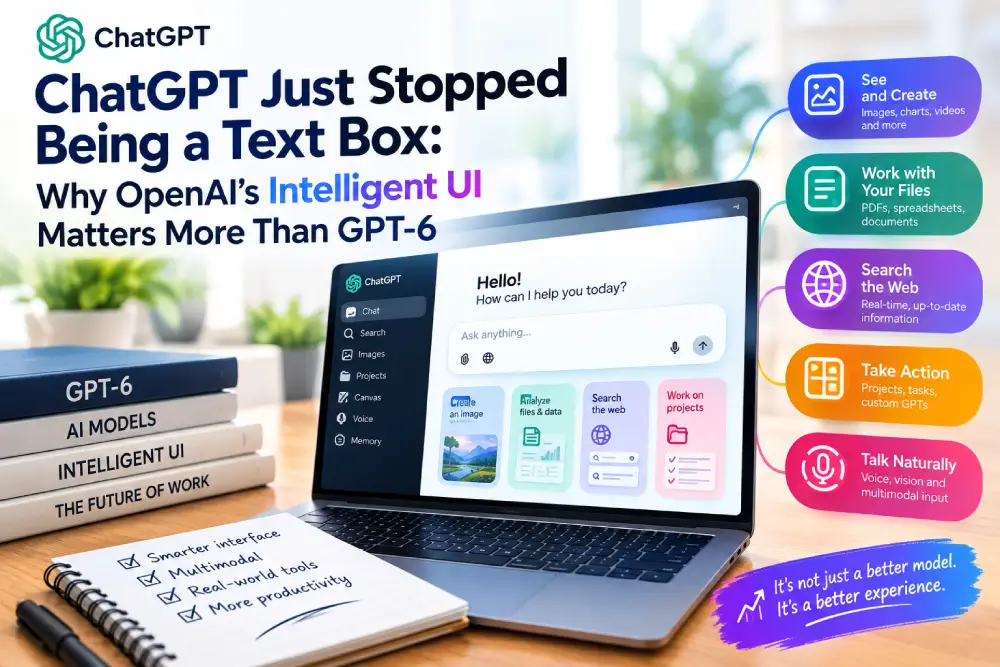
The headline of that launch was GPT-6 arriving in everyday ChatGPT. That’s the part most coverage focused on, and it’s understandable: a new number on a flagship model always grabs attention. But the feature launched alongside it may matter more over time. OpenAI calls it Intelligent UI, and it lets ChatGPT decide, answer by answer, what shape a response should take. A comparison can arrive side by side. A tricky concept can come as an interactive diagram you can adjust. A planning question can produce a working calculator right inside the conversation. And a simple question still gets a simple text reply.
This article covers what OpenAI actually launched, how Intelligent UI works, why it’s a bigger shift than a model upgrade, and what it means for anyone who creates content, teaches, or builds products on top of AI output.
What OpenAI Launched
According to OpenAI’s announcement, the first GPT-6 models reached paying customers in September. The October 7 release brought GPT-6 to ChatGPT’s main Chat experience for a much wider audience, which OpenAI puts at more than 1.2 billion weekly users.
There are two versions, split by plan:
| ChatGPT plan | GPT-6 model | Rollout start |
|---|---|---|
| Plus, Pro, Business, Enterprise | GPT-6 Sol | October 7, 2026 |
| Free, Go | GPT-6 Luna | October 8, 2026 |
Both models are tuned for everyday conversation. A few details are worth knowing:
- The rollout is global, but gradual. Not every account got the new experience on day one.
- Enterprise access depends on admin settings, so workplace users may wait for their IT team.
- It only applies to the Chat tab. OpenAI says the models behind its Work and Codex products are unchanged.
- It’s faster. GPT-6 can start answering while it’s still reasoning. OpenAI says GPT-6 Instant begins answering web-search questions about 44% sooner on average than GPT-5.6 Instant, based on its own internal testing.
- Safety claims. According to YourStory’s summary, OpenAI reports stronger resistance to attempts to bypass its safeguards and better handling of high-risk prompts. Details are in OpenAI’s system card.
None of that is unusual for a model launch. Faster, safer, smarter is the standard pitch. The part that breaks the pattern is Intelligent UI.
How Intelligent UI Works in Practice
OpenAI describes Intelligent UI as GPT-6’s ability to build a response out of text, visuals, and interactive elements, choosing the layout based on the question. A reply can include charts, tappable buttons, forms, maps, and small working tools you use without leaving the chat.
OpenAI’s examples fall into three broad groups.
Layouts that organize information
Some questions are really about structure. Comparing two phones, planning a road trip, or timing a big family meal all involve several moving parts. Instead of describing them in paragraphs, ChatGPT can lay them out:
- A side-by-side comparison of two options
- A cooking timeline for a Sunday roast, so every dish finishes on time
- A road trip map with notes for each stop
- A wardrobe plan for a week of travel
Diagrams you can explore
Some concepts are much easier to grasp when you can see them move. OpenAI’s examples include interactive explainers for the central limit theorem, GDP, drone photography, and the famous Monty Hall probability puzzle. The idea is that you can change an input and watch the result update, rather than reading a static explanation and trying to picture it.
Tools built on the spot
The most striking examples are small, working tools generated for a single question:
- A retirement savings calculator you can adjust
- A bill splitter for a group dinner
- A simple game playable inside the chat
When it stays plain text
Importantly, Intelligent UI doesn’t replace text. If a short written answer is the most useful response, that’s what ChatGPT gives. Ask for a definition, a quick fact, or a rewrite of your email, and you’ll still get words. TechCrunch reported after an OpenAI briefing that users can also reduce how much visual material appears in responses.
Under the hood
OpenAI says GPT-6 was trained to combine these formats, drawing on a library of native components that can stream as they’re generated. A compiler assembles the interface progressively, so parts of an interactive answer can appear before the full response is finished. That detail matters: interactive answers that took a minute to load would quickly feel worse than plain text.
Why This Is the Real Story
It’s tempting to file Intelligent UI under “OpenAI shipped a design update.” That undersells it.
For most of ChatGPT’s life, the model was the product. A smarter model meant a better ChatGPT, and almost every launch was measured by benchmark scores, reasoning ability, or context length. The output format stayed fixed: text, with some markdown formatting on top.
Intelligent UI quietly admits something important. Answer quality and answer format are two separate problems. A model can understand a question perfectly and still give a frustrating answer if it’s the wrong shape. Anyone who has asked an AI to compare five products and received five long paragraphs knows the feeling. The information is all there, but you have to rebuild the comparison in your head.
That suggests text-only output was becoming the ceiling on usefulness, not the model underneath it. Once models got good enough at reasoning, the next big improvement wasn’t necessarily a smarter model. It was a better way to deliver what the model already knew.
The model now makes design decisions
There’s a subtler shift too. With Intelligent UI, the AI isn’t just answering the question; it’s deciding how the answer should be experienced. Should this be a table or a chart? A static diagram or an interactive one? A calculator or a sentence with a number in it? Those are design judgments, the kind a good teacher, writer, or product designer makes without thinking about it.
OpenAI acknowledges this is still a work in progress. Its announcement says there’s more to do on improving the model’s design judgment and expanding what it can build. That’s an honest admission, and it points to the hardest part of the problem. Generating a chart is easy. Knowing when a chart helps, and when it just adds clutter, is much harder.
The Chat Window Is Becoming an App Platform
The most useful way to think about Intelligent UI is this: the chat window is turning into a lightweight app platform, and most people haven’t noticed yet.
A bill splitter or retirement calculator generated inside ChatGPT is, functionally, a tiny app. It’s made for one person, for one question, and it may never be used again. But it does real work. In the past, a person needing that tool would have searched for a calculator website, downloaded an app, or built a spreadsheet. Now the tool appears where the question was asked.
That has big implications for the wider web. Many websites exist mainly to provide simple tools: loan calculators, unit converters, comparison tables, quiz builders. If an AI assistant can produce a custom version of these on demand, some of that traffic may never reach the original sites.
OpenAI isn’t alone
This direction isn’t unique to OpenAI, which is part of why it matters. In November 2025, Google introduced generative UI experiments in the Gemini app and in AI Mode in Search, building custom interactive responses for prompts. In Google’s own testing, people preferred these generative interfaces to plain text and standard markdown answers, though expert-built websites still scored best. Anthropic’s Claude has offered Artifacts, interactive documents, apps, and visuals created during a conversation, since 2024.
What’s new with ChatGPT is scale and default status. Intelligent UI isn’t a side panel or a labs experiment. It’s how the most widely used AI assistant now answers questions by default.
The interface war replaces the benchmark war
For the past few years, AI companies have competed mostly on benchmarks: who scores highest on reasoning, coding, or math tests. Those differences still matter, but they’re getting harder for ordinary users to feel. Most people can’t tell whether one model scored a few points higher on a test.
They can absolutely tell the difference between a wall of text and a working tool. That’s why the next real differentiation between AI products may show up in the interface: how well each assistant chooses the right format, how fast interactive answers appear, and how useful they actually are. If ChatGPT can hand you a working calculator mid-conversation, a flat text answer from a competitor may start to feel primitive within months.
What It Means for Creators, Educators, and Businesses
If your work involves AI in any way, here’s the practical question: how much of what you’ve built assumes that AI output is a block of text?
For content creators and publishers
A lot of online content answers questions with text and simple tools: “how much should I save for retirement,” “which laptop is better,” “how to split rent fairly.” If ChatGPT can answer these with an interactive tool on the spot, generic explainer content faces even more competition.
The response isn’t to panic, but to lean into what AI can’t easily generate:
- First-hand testing and experience. An AI can build a comparison table; it can’t use the product for a month.
- Original data and reporting. Unique research gives AI tools something to cite rather than replace.
- Expert judgment. Clear recommendations backed by real expertise still matter.
- Your own interactive tools. If simple tools draw your traffic, consider making them better, more specialized, or more trustworthy than a one-off AI version.
For educators and course creators
Interactive explainers have always been powerful teaching tools, but they took time and skill to build. Now students can generate a working simulation of the Monty Hall problem in seconds. That’s an opportunity and a challenge. Course materials can point students to explore concepts interactively, but educators may also need to rethink assignments that assumed AI would only produce text.
For businesses using AI in workflows
If your team uses ChatGPT for customer support drafts, internal reports, or client deliverables, expect output formats to vary more. That can make answers clearer, but it can also break workflows built around copying and pasting text. Templates, documentation, and training material may need updating so people know what to expect.
For product builders
The bar for every AI product just went up. Users who get interactive answers in ChatGPT will start expecting the same elsewhere. If your product sits on top of an AI model and only returns text, ask whether some answers would be more useful as a table, a chart, a form, or a small tool. Design judgment about output format is now part of building a good AI product.
Plan for the next six months
A practical exercise: list the places where your work assumes AI output is a paragraph. Course modules, prompt templates, client deliverables, help-desk flows. For each one, ask whether an interactive format would make it better, and whether a format change would break anything. That review will be useful no matter which AI tools you use.
Limits and Open Questions
Intelligent UI is promising, but it’s early. A few questions are worth watching.
Will the design judgment hold up? OpenAI itself says the model’s design sense needs work. An interactive widget where a sentence would do is clutter, not help. How often ChatGPT picks the wrong format will shape whether people love or tolerate the feature.
Are the tools accurate? A calculator looks authoritative, which can make errors more dangerous than in plain text. If a retirement calculator uses a wrong assumption, users may trust the number more because it came from a slick interface. Google noted similar issues in its generative UI research, including occasional inaccuracies and slow generation times.
What about accessibility? Interactive elements need to work for people using screen readers, keyboard navigation, or low-bandwidth connections. Plain text has been accessible by default. Rich interfaces have to be designed that way.
Can developers use it? OpenAI’s announcement focused on the ChatGPT app and didn’t detail whether Intelligent UI will come to its API for developers building their own products. If it does, the app-platform shift will move much faster.
How do you save or share it? A text answer is easy to copy into a document. It’s less clear how well an interactive tool travels outside the chat, into a report, a course, or a client email.
Final Thoughts
GPT-6 got the headline, but Intelligent UI is the change more likely to reshape how people use AI. For years, a better ChatGPT meant a smarter model inside the same text box. Now the box itself adapts to the question, offering layouts, diagrams, and small working tools when they help, and plain text when they don’t.
The honest takeaway isn’t “AI got smarter again.” It’s that the chat window is becoming a place where software is generated on demand, and the competition between AI products is moving from benchmark scores to how useful their answers actually feel. If your work assumes AI output is a paragraph, now is a good time to revisit that assumption.
Frequently Asked Questions
What is ChatGPT’s Intelligent UI?
It’s a GPT-6 feature that lets ChatGPT build answers from text, visuals, and interactive elements, such as comparisons, diagrams, maps, forms, and small tools like calculators. ChatGPT chooses the format based on the question and still uses plain text when that works best.
When did GPT-6 come to ChatGPT?
OpenAI began rolling it out on October 7, 2026, for Plus, Pro, Business, and Enterprise users, with Free and Go users starting October 8. Enterprise access depends on admin settings.
What’s the difference between GPT-6 Sol and GPT-6 Luna?
GPT-6 Sol powers ChatGPT for paid plans (Plus, Pro, Business, Enterprise). GPT-6 Luna powers it for Free and Go users. OpenAI says both are tuned for everyday conversation.
Can I turn off the interactive answers?
According to TechCrunch’s briefing coverage, users can reduce how much visual material appears in responses. Simple questions still get text answers by default.
Do other AI assistants do this?
Yes, in different ways. Google has tested generative UI in the Gemini app and AI Mode in Search since late 2025, and Anthropic’s Claude offers Artifacts, interactive content created during a conversation. ChatGPT’s version stands out for making interactive answers the default behavior in its main chat.