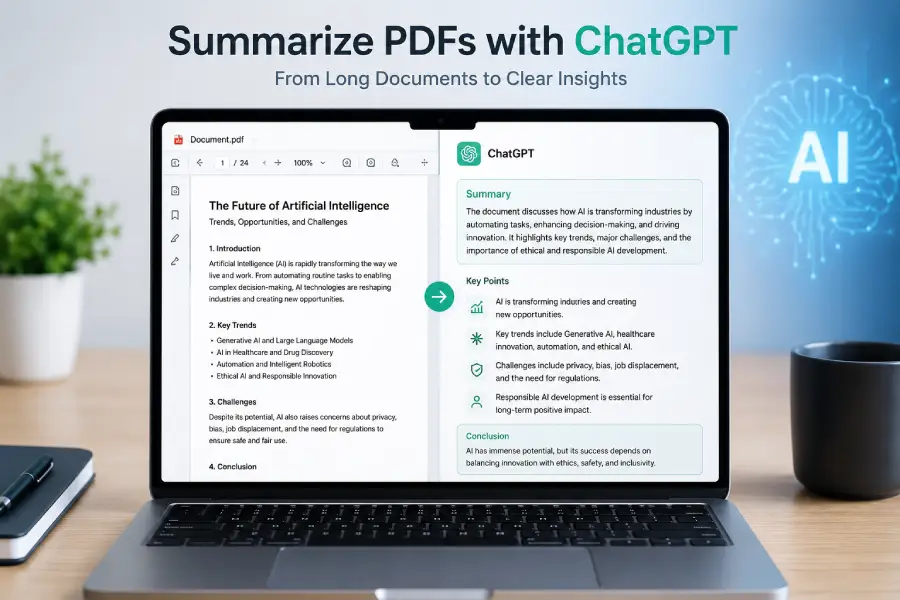
A 40-page report or a dense research paper doesn’t have to eat your whole afternoon. Upload it to ChatGPT, tell it what you actually need, and you can get a usable summary in minutes instead of hours.
That said, the quality of what you get back depends almost entirely on how you ask. This guide walks through the process, gives you prompts you can copy and adapt, and covers the situations long documents, scanned files, research papers where the basic “summarize this” approach falls short.
Can ChatGPT Actually Summarize a PDF?
Yes. You can upload a document and ask ChatGPT to summarize it, explain confusing sections, pull out specific details, or restructure it into something easier to digest. OpenAI lists summarizing research papers and simplifying complex documents among the intended uses for file uploads, so this isn’t a workaround it’s a supported feature.
The basic steps are simple enough:
- Open a ChatGPT conversation.
- Upload your PDF.
- Tell ChatGPT what kind of summary you want.
- Read through what it produces.
- Ask follow-up questions to fill in gaps.
Where people usually go wrong is step 3. A one-line request like “summarize this PDF” produces a one-line-effort summary. Give ChatGPT some direction length, audience, format, what to prioritize and the output improves noticeably.
Walking Through the Process
Step 1: Start the Conversation
Open ChatGPT and start a new chat. Have your PDF ready on your device before you begin it saves a step.
Step 2: Upload the File
Use the attachment button and select your PDF. Give it a moment to finish uploading before you type anything; sending your prompt too early sometimes means ChatGPT hasn’t fully processed the file yet.
Once it’s uploaded, you can ask something like:
“Summarize this PDF in 500 words and list the five most important points.”
You don’t need a perfectly engineered prompt to get started. A clear, specific ask is enough.
Step 3: Be Specific About What You Want
This is the step that makes the biggest difference.
“Summarize this PDF” will get you a summary just not necessarily a useful one. Compare that to:
“Summarize this PDF in simple English. Keep it under 800 words and include the main argument, key facts, important findings, and the conclusion.”
Or, if you want it pitched at a particular reader:
“Explain this research paper to a college student who has no background in the subject.”
The more context you give ChatGPT about the intended audience and purpose, the closer the first draft comes to something you can actually use.
Step 4: Pick a Format
Not every document calls for the same kind of summary. Depending on what you need, you can ask for:
- A short paragraph
- Bullet points
- An executive summary
- A chapter-by-chapter breakdown
- Key takeaways
- Study notes
- Questions and answers
- A beginner-friendly rewrite
Example prompt:
“Create a bullet-point summary of this PDF, including the main ideas, important statistics, conclusions, and five key takeaways.”
Step 5: Check the Summary Against the Original
Once you have a summary, don’t treat it as final especially if the document covers:
- Financial figures
- Legal terms
- Medical information
- Research findings
- Technical specs
- Dates and deadlines
- Statistics
- Business decisions
AI summaries save time, but they’re a starting point, not a substitute for reading the source material when accuracy really matters.
Prompts Worth Copying
A few prompt templates you can adjust to fit your document:
Simple summary: “Summarize this PDF in simple English. Explain the main topic, important points, and final conclusion.”
Short version: “Summarize this PDF in 300 words or less, focusing only on the most important information.”
Detailed version: “Create a detailed summary of this PDF. Explain the main ideas, supporting arguments, important facts, examples, and conclusion, organized with clear headings.”
Bullet points: “Summarize this PDF using bullet points covering the most important facts, findings, arguments, and conclusions.”
Executive summary: “Create an executive summary of this PDF. Highlight the purpose, key findings, important data, risks, recommendations, and conclusion.”
For students: “Summarize this PDF for a student. Use simple language and explain difficult concepts with easy examples. End with 10 key points to remember.”
Research paper: “Analyze this research paper and summarize the research question, objectives, methodology, findings, limitations, and conclusion, with each section clearly separated.”
Chapter by chapter: “Summarize each chapter of this PDF separately. For every chapter, give the main idea, three important points, and one key takeaway.”
Handling Long Documents
Trying to compress a 100-page report into one prompt usually backfires you get a summary that skims everything and explains nothing. A staged approach works better.
Start broad. Ask ChatGPT to map out the document’s structure:
“Give me an overview of this document and identify its major sections.”
Go section by section. Once you know the layout, dig into the parts that matter:
“Now summarize the section about the research methodology in detail.”
Pull it together at the end. After you’ve covered the important sections individually, ask for a synthesis:
“Using what we’ve discussed above, create a concise final summary with the most important findings and conclusions.”
This takes more back-and-forth than a single prompt, but for anything genuinely long, it produces a far more accurate result.
Summarizing Research Papers
Academic papers come with their own obstacles dense terminology, methodology sections that assume prior knowledge, and conclusions that don’t mean much without the context around them.
A structured prompt helps:
“Summarize this research paper using the following structure: research question, background, methodology, sample or data, key findings, limitations, implications, and conclusion. Use simple English.”
From there, follow-up questions tend to be more useful than a single mega-prompt:
“Explain the methodology in plain language.”
“What are the three most important findings?”
“What limitations did the researchers acknowledge?”
Summarizing Business Reports
Executives rarely have time to read a 60-page quarterly report cover to cover. A targeted prompt can extract what actually matters:
“Analyze this business report and create an executive summary. Include the main business objective, important results, financial information, risks, opportunities, recommendations, and conclusion.”
You can also ask for extraction rather than summarization:
“Find all important revenue figures mentioned in this PDF and organize them in a table.”
“Identify the main risks discussed in this report.”
Turning a PDF Into Study Material
If you’re studying from a textbook chapter or lecture PDF, ChatGPT can reformat it into something more useful than a wall of text:
“Turn this PDF into study notes. Include definitions, important concepts, formulas, examples, and key points. Use simple language.”
From there, you can generate practice material:
“Create 20 multiple-choice questions based only on this PDF.”
“Create flashcards from the most important concepts in this document.”
“Explain the five most difficult concepts in this PDF as if you were teaching a beginner.”
Asking Questions Instead of Just Summarizing
Once a document is uploaded, you’re not limited to summaries. You can treat it more like something you’re interviewing:
“What does this document say about artificial intelligence?”
“Find the section where the report discusses customer retention.”
“What recommendations are included in the final section?”
OpenAI describes document extraction as one of the core use cases for file uploads, so this kind of targeted questioning is well within what the feature is built for.
What About Scanned PDFs?
This is where things get inconsistent. A normal PDF contains machine-readable text that ChatGPT can process directly. A scanned PDF is often just a stack of page images there’s no underlying text to read unless it’s been run through OCR (optical character recognition) first.
If a scanned document produces a thin or incomplete summary, check whether you can actually select or copy text from it. If you can’t, that’s usually the problem, and running it through OCR beforehand should help.
It’s also worth noting that OpenAI documents visual retrieval the ability to interpret embedded images, charts, and diagrams within a PDF as an Enterprise-tier capability, separate from standard text extraction. So results can vary depending on your plan and the document type.
Getting Better Results
A handful of habits make a noticeable difference in summary quality:
Be specific. “Summarize this document in 700 words, focusing on the main findings and recommendations” beats “summarize this.”
Name the audience. “Explain this to someone with no technical background” changes the vocabulary and depth ChatGPT uses.
Set a length. Whether it’s 100 words or 1,000, giving a target keeps the summary from running long or short of what you need.
Specify the format. Bullet points, tables, headings, Q&A pick whichever matches how you’ll actually use the output.
Ask for the numbers. If the document has data in it, request it directly: “Extract the most important statistics from this PDF and explain what each one means.”
Don’t stop at one prompt. Follow-up questions are often more efficient than trying to cram every requirement into the first message.
Verify what matters. Cross-check anything with financial, legal, medical, academic, or business consequences against the original.
Common Issues
ChatGPT won’t summarize my PDF. Usually this comes down to an incomplete upload, a file format issue, or content that’s difficult to extract (like a scan without OCR). Try re-uploading and confirm the file type is supported.
The summary is missing something important. Summaries are shorter than the source by design, so some detail loss is expected. If a specific section got skipped, just ask for it directly: “You didn’t mention the recommendations section summarize that separately.”
Can it handle a 100-page PDF? Often, yes, within the platform’s file and usage limits. For very long documents, breaking the work into a structural overview followed by section-by-section summaries tends to produce better results than one giant request. Current ChatGPT documentation lists a 512 MB limit per uploaded file and a 2 million-token cap for text and document files.
Can it summarize in simple English? Yes, just ask directly: “Rewrite the main information in this PDF using simple English, avoiding unnecessary technical terms.”
Can it summarize into another language? Yes, for example: “Summarize this English PDF in Hindi and preserve the important technical terms.” Review translated output carefully, especially for specialized terminology.
ChatGPT vs. Dedicated PDF Summarizers
There are plenty of tools built specifically for PDF summarization. What sets ChatGPT apart is that the conversation doesn’t end when the summary does you can keep asking questions, request different formats, or dig into specific sections afterward.
| Feature | ChatGPT | Traditional PDF Summarizer |
|---|---|---|
| PDF summarization | Yes | Often |
| Custom instructions | Yes | Depends on tool |
| Follow-up questions | Yes | Depends on tool |
| Plain-language explanations | Yes | Depends on tool |
| Information extraction | Yes | Depends on tool |
| Study-note generation | Yes | Depends on tool |
| Interactive conversation | Yes | Usually limited |
If all you need is a quick, one-off summary, a dedicated tool might be faster. If you want to summarize, question, reorganize, and extract information from the same document in one place, the conversational approach tends to be more useful overall.
A Workflow That Works
Rather than treating this as a single request, it helps to think of it as a short process:
Upload the PDF. Understand its structure before diving in. Summarize in the length and format you actually need. Ask follow-up questions about specific sections. Extract facts, figures, or definitions as needed. Verify anything important against the source.
It’s a few extra steps compared to a single “summarize this” prompt, but for anything you’re actually going to rely on, it produces a noticeably better result.
FAQ
Can I summarize a PDF with ChatGPT?
Yes, PDF is one of the supported file types for upload and analysis.
How do I upload a PDF to ChatGPT?
Open a conversation, use the attachment button, and select the file.
What’s a good starting prompt?
“Summarize this PDF in simple English. Highlight the main ideas, important facts, key findings, and conclusion.” Adjust the length and format from there based on what you need.
Can it summarize a research paper?
>>> Yes, and it works best when you ask for a specific structure research question, methodology, findings, limitations, conclusion.
Can it handle long PDFs?
Yes, within the platform’s file and token limits. Breaking a long document into an overview plus section summaries generally works better than one large request.
What about scanned PDFs?
>>> It depends on whether the scan has been processed with OCR. Without accessible text, results will be limited and some visual features vary by plan.
Can I ask questions about a PDF instead of summarizing it?
Yes. You can ask about specific sections, request particular details, or treat the document more like a reference than a linear read.
Can it turn a PDF into study notes?
Yes, notes, key points, flashcards, and practice questions are all reasonable requests.
Should I trust a ChatGPT summary completely?
Not for anything important. Treat it as a fast first pass, and verify details that carry real financial, legal, medical, or academic weight.
The Bottom Line
Summarizing a PDF with ChatGPT is straightforward in principle upload, ask, review but the results scale directly with how much direction you give it. A vague “summarize this” gets you a generic pass over the material. A prompt that specifies length, audience, and format gets you something you can actually use.
For long or high-stakes documents, don’t expect one prompt to do all the work. Break it into stages, ask follow-up questions, and treat the final summary as a strong starting point rather than a replacement for reading the source material when the details actually matter.