AI has changed how people search for information. Instead of browsing through dozens of websites, people can now ask complex questions and get conversational, well-structured answers back in seconds.
Whether you’re researching a topic, comparing products, writing content, working through a coding problem, or planning a trip, AI search engines can save a lot of time by understanding what you actually want and summarizing the relevant information for you.
That said, these platforms aren’t interchangeable. Some are built for real-time web search, others for deep research, coding help, creative writing, or general productivity. Picking the right one comes down to your specific needs, not just which platform is most talked about.
If AI-powered search is new to you, start with PostDune’s What Is AI Search? and the Complete Guide to AI Search in 2026 for the broader picture.
This guide walks through the leading AI search engines in 2026, compares their real strengths and limitations, and helps you figure out which platform actually fits your use case.
What Is an AI Search Engine?
An AI search engine is a search platform that uses artificial intelligence to understand natural language, interpret what you actually want, retrieve relevant information, and generate a conversational answer. Where a traditional search engine mainly returns a list of links, AI search engines aim to answer the question directly often with context, summaries, comparisons, and support for follow-ups.
Instead of searching “best smartphone under $500,” you can ask “I’m looking for a smartphone under $500 with excellent battery life and a great camera which models would you recommend, and why?” and get a tailored recommendation instead of a page to compare yourself. To understand the technology underneath this experience NLP, semantic search, vector search, retrieval-augmented generation, large language models see PostDune’s How AI Search Works.
Why AI Search Engines Are Becoming So Popular
Faster Answers
People no longer need to open several websites to gather information AI search engines condense the key points into one response, making research noticeably quicker.
A Genuinely Conversational Experience
Instead of short keyword phrases, people can ask detailed questions in plain language and keep the conversation going with follow-ups.
Better Understanding of Intent
Modern AI search focuses on understanding what someone actually means rather than just matching keywords which usually produces more relevant, more personalized answers.
Real Productivity Gains
These tools now assist with research, writing, coding, brainstorming, travel planning, learning, business analysis, and product comparisons genuinely useful across both personal and professional tasks.
As more people experience these benefits, conversational AI keeps reshaping search habits more broadly a trend covered in depth in PostDune’s How AI Is Changing User Search Behavior in 2026.
How We Evaluated These AI Search Engines
There’s no single universal “best” AI search engine different platforms are built for different audiences and use cases. To keep the comparison fair, every platform below was evaluated on the same criteria:
- Search accuracy can it understand complex questions and deliver genuinely relevant answers?
- Real-time information does it have live web access, or mostly rely on pre-trained knowledge?
- Source transparency does it cite or link to sources so claims can be verified?
- Conversation quality can you ask natural follow-ups without repeating context?
- Ease of use is the interface intuitive for beginners and power users alike?
- Productivity features document analysis, file uploads, coding help, image understanding, data analysis, writing support
- Privacy and security how clearly are practices communicated, and what controls exist?
- Pricing is there a genuinely capable free tier, and are premium plans reasonably priced?
Best AI Search Engines in 2026
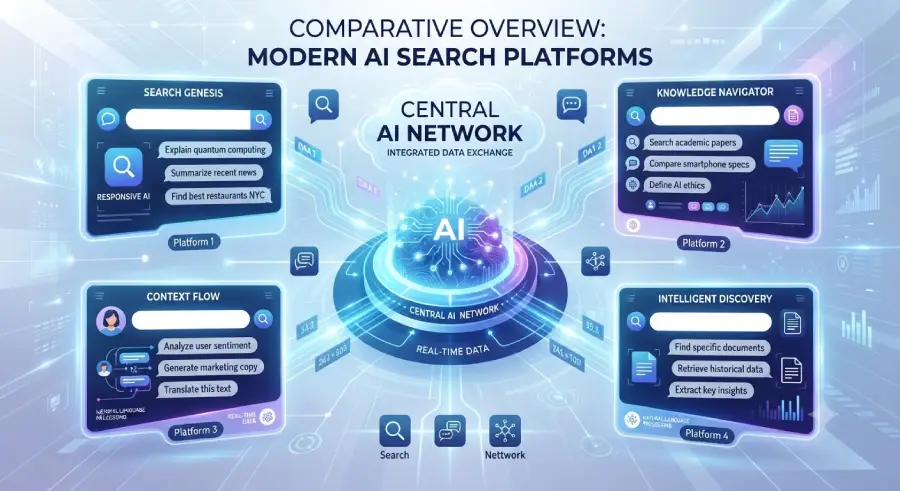
1. ChatGPT Search
Overview
ChatGPT Search combines conversational AI with web search, letting people get detailed answers that can incorporate current information when it’s needed. Instead of a traditional results list, it produces structured responses and supports genuine follow-up conversation a strong fit for learning, research, brainstorming, writing help, and general productivity. It’s particularly good at adapting explanations to the specific question asked and holding onto context across a longer conversation. Full breakdown: ChatGPT Search Explained.
Best for: students, bloggers, content creators, researchers, business professionals, marketing teams, and everyday users.
Key features: conversational search, follow-ups with memory, natural language understanding, writing assistance, research support, coding help, document analysis, image understanding, and multimodal capability depending on plan.
Pros: easy conversational interface; excellent at explaining complex topics; strong writing and brainstorming; effective summarization; broadly useful across personal and professional tasks.
Cons: some advanced features sit behind a paid plan; important information still needs verification against authoritative sources.
Best fit: a versatile assistant combining search, learning, writing, and productivity in one conversational experience. For more on how conversational AI is shaping purchasing decisions specifically, see How ChatGPT Is Influencing Consumer Search Decisions.
2. Google AI Mode
Overview
Google AI Mode brings generative AI directly into Google’s search experience, combining conversational answers with Google’s existing index. Rather than replacing traditional search, it complements it generating summaries while still linking through to original sources. That makes it a strong fit for people who want AI explanations without giving up access to the regular results page. Full breakdown: Google AI Mode Explained.
Best for: general web search, product research, travel planning, local information, everyday questions, and shopping comparisons.
Key features: AI-generated summaries, tight integration with Google’s ecosystem, current web information, follow-up search, and rich search experiences.
Pros: familiar interface; broad web coverage; strong integration with Google’s other services; genuinely useful for everyday needs; combines AI answers with access to original sites.
Cons: feature availability varies by region and account; the experience keeps evolving as Google expands it.
Best fit: people who already rely on Google Search and want AI-assisted summaries without giving up familiar tools.
ChatGPT Search vs. Google AI Mode
Both use AI to improve search, but they play to different strengths.
| Feature | ChatGPT Search | Google AI Mode |
| Conversational experience | Excellent | Strong |
| Follow-up conversations | Excellent | Good |
| Writing assistance | Excellent | Limited |
| General web search | Strong | Excellent |
| Productivity tasks | Excellent | Good |
| Learning support | Excellent | Strong |
Neither wins universally it comes down to whether your priority is conversational assistance, general productivity, or staying inside traditional web search. For a broader comparison of AI search against traditional search overall, see AI Search vs Traditional Search.
3. Perplexity AI
Overview
Perplexity has become one of the most popular AI search engines specifically because it prioritizes research and source transparency. Rather than mainly generating a conversational response, it emphasizes citations that let people verify claims directly which makes it genuinely valuable for students, researchers, journalists, marketers, and anyone who needs reliable information over a quick summary. It typically explains where information came from and actively encourages exploring the underlying sources. Full breakdown: Perplexity AI Explained.
Best for: academic research, students, journalists, bloggers, SEO professionals, business research, and fact-checking.
Key features: web-powered search, source citations, follow-up conversations, a research-focused interface, file uploads on supported plans, document summarization, and multi-step research support.
Pros: excellent source transparency; strong research capability; citations that support real verification; great for learning and fact-checking; easy to use.
Cons: less focused on creative writing than some competitors; advanced capability can depend on subscription level.
Best fit: anyone whose work depends on trustworthy, source-backed information.
4. Microsoft Copilot
Overview
Microsoft Copilot combines conversational AI with Microsoft’s productivity ecosystem. Rather than functioning purely as a search assistant, it helps people search, write, analyze documents, summarize information, build presentations, generate spreadsheets, and get coding help and its integration across Microsoft’s own services makes it especially valuable for workplace productivity specifically. Full breakdown: Microsoft Copilot Explained.
Best for: business professionals, Microsoft 365 users, office productivity, enterprise environments, students, and developers.
Key features: AI-assisted search, document summarization, Excel and Word assistance, PowerPoint creation, email writing, coding support, and enterprise integrations.
Pros: strong productivity features; excellent Microsoft ecosystem integration; genuinely useful for office work; helpful document analysis; supports everyday business tasks well.
Cons: the best experience lives inside the Microsoft ecosystem; some advanced capability needs a Microsoft subscription.
Best fit: professionals who regularly work in Word, Excel, PowerPoint, Outlook, and the rest of Microsoft’s productivity suite.
5. Google Gemini
Overview
Google Gemini is Google’s conversational AI assistant, built to help with search, learning, content creation, brainstorming, and general productivity. Its connection to Google’s broader ecosystem lets it assist across multiple Google services while keeping the conversation flowing naturally particularly effective for everyday information, learning, writing help, and productivity. Full breakdown: Google Gemini Explained.
Best for: students, everyday users, Google Workspace users, content creators, small businesses, and general productivity.
Key features: conversational AI, web-assisted responses, writing support, brainstorming, coding assistance, multimodal capability, and Google ecosystem integration.
Pros: easy to use; genuinely helpful explanations; strong productivity features; good integration with Google’s services; works well for beginners and experienced users alike.
Cons: feature availability can vary by region and account type; some advanced capability sits behind paid plans.
Best fit: people already relying on Google’s services who want an AI assistant that fits naturally into that existing workflow.
6. Claude
Overview
Claude is known for thoughtful, well-organized responses and genuinely effective handling of long documents. It’s widely used for writing, document analysis, brainstorming, summarization, and professional communication and particularly appreciated for holding context across lengthy conversations while keeping explanations clear. Full breakdown: Claude AI Explained.
Best for: writers, researchers, business professionals, students, legal document review, and long-form content.
Key features: long-context conversations, writing assistance, document analysis, summarization, brainstorming, coding support, and professional communication.
Pros: excellent long-form writing; strong document handling; clear explanations; high-quality summaries; genuinely useful for professional work.
Cons: web search capability and feature availability can vary depending on the version being used; some premium features require a subscription.
Best fit: anyone who regularly works with reports, research papers, long articles, or business documents.
7. Brave Search AI
Overview
Brave Search AI pairs AI-generated answers with Brave’s own independent search index, with a real emphasis on privacy. Rather than leaning heavily on personalized data, it’s built around privacy protections baked into the broader Brave ecosystem.
Best for: privacy-conscious users, independent web search, everyday information, and general research.
Key features: AI-generated answers, an independent search index, privacy-focused search, web search integration, and follow-up conversations.
Pros: strong privacy focus; independent search technology; simple interface; useful AI summaries; no heavy dependence on personalized advertising.
Cons: a smaller ecosystem than some competitors; advanced AI capability can be more limited than dedicated AI assistants.
Best fit: people who prioritize privacy but still want the benefit of AI-assisted search.
8. You.com
Overview
You.com combines AI search with productivity tools, customization, and several AI assistants inside one platform letting people search the web, generate content, summarize information, write code, and do research all from a single interface.
Best for: productivity, research, content creation, developers, and students.
Key features: AI search, writing assistance, coding support, research tools, AI productivity features, and multiple AI experiences in one place.
Pros: flexible interface; solid productivity tools; helpful writing capability; multiple AI workflows; adaptable to different needs.
Cons: less widely adopted than the bigger competitors; some advanced features require paid access.
Best fit: people who want a genuine all-in-one AI productivity platform rather than just a conversational search assistant.
9. Phind
Overview
Phind is an AI search platform built primarily for developers and technical professionals. Instead of general-purpose search, it specializes in programming, debugging, software engineering, APIs, and technical documentation combining conversational AI with a genuinely developer-focused search experience.
Best for: software developers, engineers, students learning to program, technical research, coding interviews, and API documentation.
Key features: programming assistance, code explanations, debugging help, technical search, documentation summaries, and AI coding support.
Pros: excellent technical explanations; strong coding assistance; helpful debugging suggestions; a genuinely developer-focused workflow; real time savings during development.
Cons: less useful for general-purpose searches; built primarily for a technical audience.
Best fit: programmers, software engineers, and anyone who regularly works with technical documentation or code.
Quick Feature Comparison
| AI Search Engine | Best For | Source Citations | Real-Time Info | Productivity | Coding Help |
| ChatGPT Search | General use, writing | In supported searches | Yes | Excellent | Excellent |
| Google AI Mode | Everyday web search | Yes | Yes | Good | Good |
| Perplexity AI | Research | Excellent | Yes | Good | Good |
| Microsoft Copilot | Office work | Available | Yes | Excellent | Excellent |
| Gemini | Google ecosystem | Available | Yes | Excellent | Good |
| Claude | Long-form writing | Limited by version | Varies | Excellent | Good |
| Brave Search AI | Privacy-focused search | Yes | Yes | Good | Limited |
| You.com | Productivity | Available | Yes | Good | Good |
| Phind | Programming | Yes | Yes | Good | Excellent |
Note: AI platforms evolve quickly. Features, pricing, and availability can change, so it’s worth checking each provider’s official site before deciding.
Choosing the Right AI Search Engine
Rather than asking “which AI search engine is the best,” it’s usually more useful to ask “which one is best for what I actually need to do.”
For research and fact-checking: Perplexity AI
For writing and productivity: ChatGPT Search or Claude
For Microsoft users: Microsoft Copilot
For Google ecosystem users: Gemini
For privacy-focused searching: Brave Search AI
For developers and programmers: Phind
For general everyday search: Google AI Mode or ChatGPT Search
Every platform has real strengths, and plenty of people end up using more than one, depending on the task.
Which AI Search Engine Is Best for You?
The honest answer depends on your goals, your workflow, and the kind of information you’re usually after. Rather than picking based purely on popularity, think about how you’ll actually use it day to day.
Best for Students
Students generally need tools that explain concepts clearly, summarize study material, and handle follow-up questions well.
Recommended: ChatGPT Search, Google Gemini, Microsoft Copilot all offer beginner-friendly explanations and support research, writing, and learning.
Best for Researchers
Researchers benefit most from platforms that cite sources, summarize efficiently, and make verification straightforward.
Recommended: Perplexity AI, ChatGPT Search, Claude always verify important findings against original sources, especially for academic or professional work.
Best for Bloggers and Content Creators
Content creators need help with topic research, outlines, keyword brainstorming, drafting, editing, and summarization.
Recommended: ChatGPT Search, Claude, Google Gemini particularly strong for brainstorming and general productivity.
Best for Developers
Developers usually need help with debugging, explaining code, API documentation, programming concepts, and technical research.
Recommended: Phind, ChatGPT Search, Microsoft Copilot genuinely useful for streamlining development workflows and speeding up problem-solving.
Best for Business Professionals
Business users frequently lean on AI to summarize reports, draft emails, prepare presentations, and analyze documents.
Recommended: Microsoft Copilot, ChatGPT Search, Claude all integrate well into common professional workflows.
Best for Everyday Users
If the main goal is searching the web more efficiently, learning new topics, or comparing products, a simple conversational interface is usually the right call.
Recommended: ChatGPT Search, Google AI Mode, Google Gemini easy to use and suited to a wide range of everyday tasks.
AI Search Engines vs. Traditional Search Engines
AI search engines and traditional search engines aren’t direct replacements for each other they serve different purposes and often work best used together.
| AI Search Engines | Traditional Search Engines |
| Understand natural language | Match keywords and index webpages |
| Generate conversational answers | Display lists of search results |
| Support follow-up questions | Treat each search independently |
| Summarize information | Let users compare multiple sources directly |
| Help with writing and productivity | Excellent for navigation and official websites |
| Great for learning and brainstorming | Strong for news, local search, and shopping |
For a deeper comparison, see PostDune’s AI Search vs Traditional Search, which explores how the two approaches complement each other in practice.
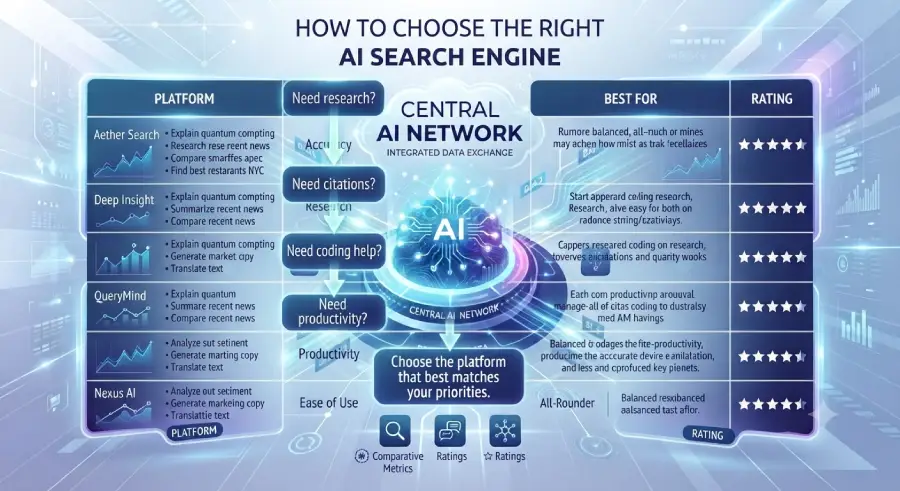
How AI Search Is Changing User Behavior
The growing popularity of AI search engines is reshaping how people actually discover and consume information. People are increasingly asking longer, more detailed questions, expecting direct answers instead of a list of links, continuing conversations through natural follow-ups, and using AI for research, planning, writing, and decision-making generally.
These shifts are reshaping content creation and search optimization strategy in real time see PostDune’s How AI Is Changing User Search Behavior in 2026 for the fuller picture.
Frequently Asked Questions
Which AI search engine is best overall?
There isn’t one best platform for everyone it depends on your needs. Perplexity AI is strong for research, ChatGPT Search excels at writing and productivity, and Phind is built specifically for developers.
Which AI search engine is best for research?
Perplexity AI is widely recognized for its focus on source citations and research workflows specifically. ChatGPT Search and Claude are also strong research assistants, particularly for summarizing and explaining complex information.
Which AI search engine is best for students?
Students generally do well with ChatGPT Search, Google Gemini, and Microsoft Copilot all provide clear explanations and genuinely support learning, assignments, and research.
Which AI search engine is best for coding?
Developers commonly reach for Phind, ChatGPT Search, and Microsoft Copilot for debugging, code explanations, documentation, and general programming assistance.
Are AI search engines free to use?
Most leading platforms offer a free plan with core functionality. Premium subscriptions typically unlock additional capability, higher usage limits, and more advanced features.
Can AI search engines replace Google Search entirely?
They complement traditional search rather than replacing it outright. Traditional search remains the better tool for official websites, local businesses, current news, and original source material.
Are AI-generated answers always accurate?
No. AI systems can occasionally produce incomplete or incorrect information, so it’s worth verifying anything important against trusted sources before acting on it.
Which AI search engines actually provide citations?
Several platforms provide citations or source links for many responses, making verification easier though the availability and format of citations vary by platform and by query.
Which AI search engine is best for content creators?
ChatGPT Search, Claude, and Google Gemini are all strong choices for brainstorming, outlining, editing, and drafting content.
Will AI search keep evolving?
Yes, AI search is developing quickly, with ongoing improvements in reasoning, multimodal capability, personalization, and information retrieval. New features and platforms are likely to keep emerging.
Conclusion
AI search engines are changing how people interact with information by making search more conversational, more personalized, and genuinely more efficient. Instead of just presenting a list of links, these platforms try to understand intent, retrieve relevant information, and generate an answer that’s actually useful.
Every platform here has its own real strengths. Some focus on research and citations, others on productivity, coding, long-form writing, or fitting neatly into an existing ecosystem. The right choice comes down to your specific goals and how you actually work.
As AI search keeps evolving, understanding what each platform is genuinely good at and where its limits are puts you in a much better position to get real value out of these tools. Rather than leaning on one AI search engine for everything, a lot of people find that using different platforms for different tasks gives the best overall experience.
Key Takeaways
- AI search engines are built for different purposes there’s no single one-size-fits-all option
- Consider your primary use case (research, writing, coding, productivity, or general search) before choosing
- Verify important information with authoritative sources, especially for health, legal, financial, or safety-related topics
- Combining AI search with traditional search often produces the most complete, reliable results
- Understanding AI search well today makes it easier to adapt as the technology keeps evolving